モバイルブラウザでタイトルとURLをコピーする
created: 2025-12-18
PCブラウザだとChrome拡張とかでタイトルとURLをコピーできて便利です
Create Link を使っています
スマホのブラウザだとChrome拡張とかが入れられないので不便です
javascriptスニペットでタイトルとURLをコピーしてみます
javascript:(() => {
  const u = location.origin + location.pathname;
  const t = document.title;
  const text = `[${t} ${u}]`;

  const textarea = document.createElement("textarea");
  textarea.value = text;
  textarea.style.position = "fixed";
  textarea.style.opacity = "0";

  document.body.appendChild(textarea);
  textarea.focus();
  textarea.select();

  try {
    const ok = document.execCommand("copy");
    if (!ok) throw new Error();
  } catch {
    alert("Failed to copy to clipboard.");
  } finally {
    document.body.removeChild(textarea);
  }
})();
minimizeしたものが
javascript:(()=>{const t=document.title,u=location.origin+location.pathname,a=document.createElement("textarea");a.value=`[${t} ${u}]`;document.body.append(a);a.select();document.execCommand("copy");a.remove()})();ちょこっと解説すると、タイトルとURLをメディアウィキ形式 例 [url title] でコピーします
navigator.clipboard.writeText はボタン押した後のイベントなどで使えて、いきなり使えないので一工夫
一旦、textareaを作ってタイトルとURLを保持、それをコピーすることでクリップボードに入れてます
使い方はjavascriptスニペットをコピーして、モバイルブラウザのブックマークに保存
Google ChromeとかBraveだと、どのページでもいいのでブックマーク
ブックマークの編集でタイトルをcopy(なんでもいいが後で打ちやすいもの)、URLにjavascriptスニペットを保存します
タイトルとURLをコピーしたいページを開いて、URLバーに copy を打つと候補に出てくるjavascriptスニペットを選択
これでコピーされます
URLバーに javascript: ~~~ と打ち込むのと同じ動きです
モバイルブラウザBravenの例
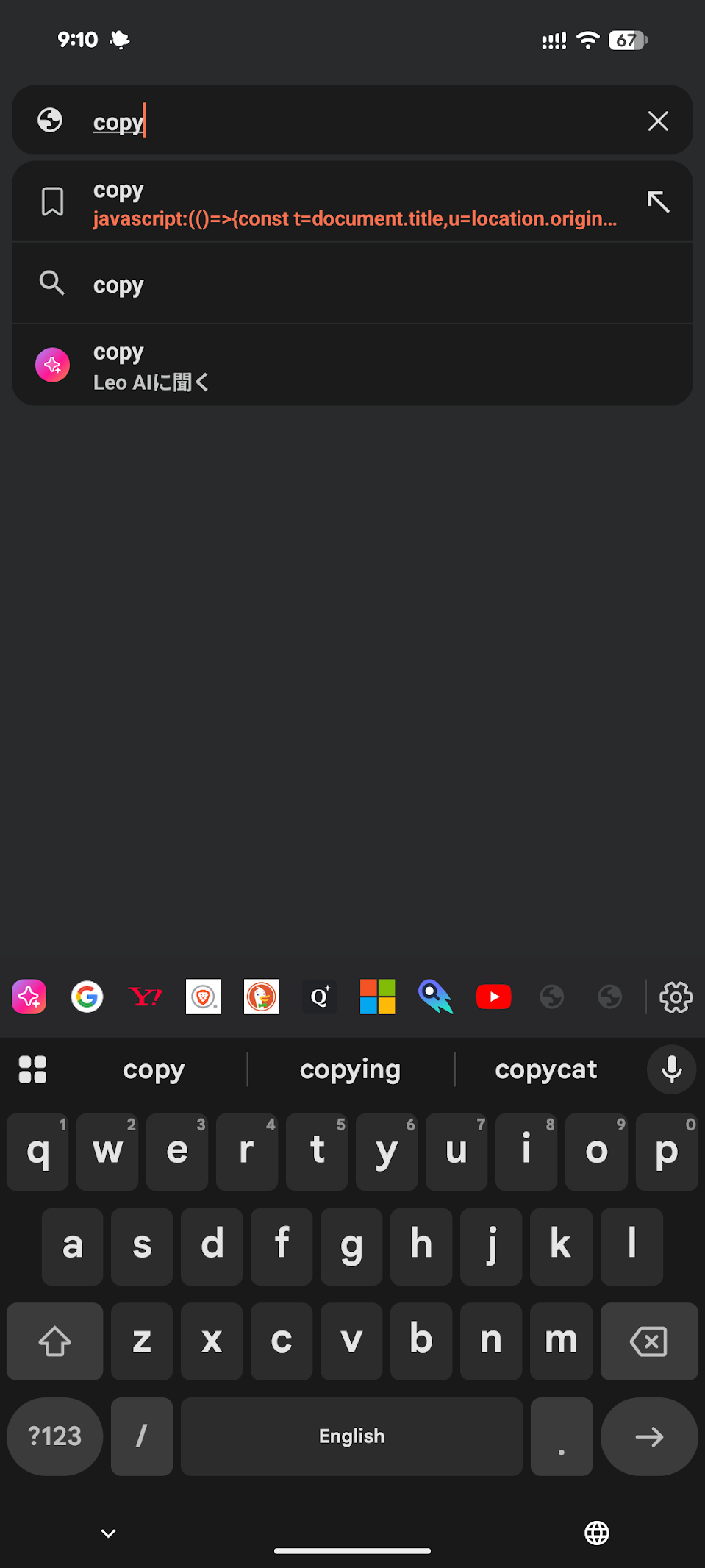
ブックマークの選択では動きませんでした
markdown版
javascript:(() => {
  const u = location.origin + location.pathname;
  const t = document.title;
  const text = `[${t}](${u})`;

  const textarea = document.createElement("textarea");
  textarea.value = text;
  textarea.style.position = "fixed";
  textarea.style.opacity = "0";

  document.body.appendChild(textarea);
  textarea.focus();
  textarea.select();

  try {
    const ok = document.execCommand("copy");
    if (!ok) throw new Error();
  } catch {
    alert("Failed to copy to clipboard.");
  } finally {
    document.body.removeChild(textarea);
  }
})();
minimizeしたものが
javascript:(()=>{const t=document.title,u=location.origin+location.pathname,a=document.createElement("textarea");a.value=`[${t}](${u})`;document.body.append(a);a.select();document.execCommand("copy");a.remove()})();まとめ
モバイルでもChrome拡張とか使える用になったらいいですね
PR

Microsoft Copilot for Microsoft 365活用大全
このリンクは、アフィリエイトリンクです
Amazonのアソシエイトとして、blog.freks.jp は適格販売により収入を得ています。
This site is managed by freks